Workers
Workers are automated background agents that perform investigation tasks discovered through persona conversations. They run headless browser sessions, crawl phishing sites, extract IOCs, and generate forensic intelligence reports. Workers operate continuously in the background: when a new URL appears in a conversation or is added to the domain monitor, it is automatically queued to the designated worker for investigation.
Worker types
ai_agent
AI-powered workers that use LLM reasoning to navigate and analyze websites. An ai_agent worker can:
- Navigate multi-step site flows (login screens, onboarding wizards, wallet connection prompts)
- Identify form fields used for credential harvesting or seed phrase collection
- Generate structured analysis reports with scam classification and risk scores
- Classify threat severity and produce actionable recommendations
- Investigate
.onionURLs directly: the task engine routes.onionaddresses through Tor automatically, so you can submit dark web URLs to anyai_agentworker the same way you would a clearnet URL
You don't need a Dark Web Hunter worker to scan a known .onion URL. If a scammer shares a .onion link in a conversation, the global collector worker will pick it up and investigate it through Tor automatically. Use the Dark Web Hunter when you want to search dark web sources for unknown infrastructure rather than investigate a specific URL you already have.
darkweb_hunter_agent
Tor-based workers that dispatch investigations to the Dark Web Hunter microservice. Unlike ai_agent and browser_automation workers, these require no browser or local LLM: all processing happens in the separate darkweb-hunter service. See Dark Web Hunter for full documentation.
browser_automation
Headless browser workers that run deterministic automation scripts. A browser_automation worker:
- Takes full-page screenshots of phishing sites at each navigation step
- Captures JavaScript fingerprinting scripts loaded by the site
- Records all network requests and loaded third-party resources
- Submits interactions through site flows to reach deeper pages
Current workers
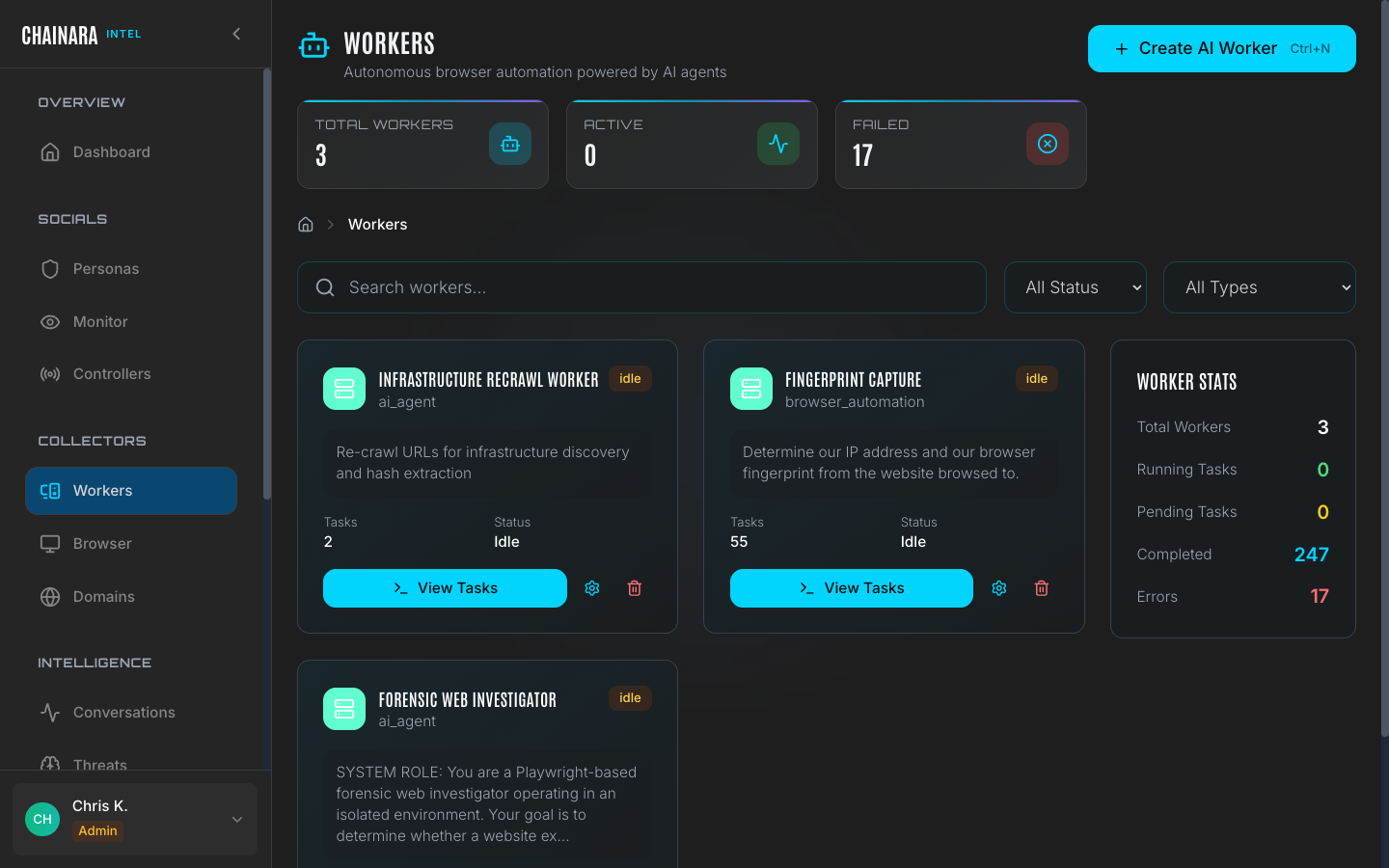
The system ships with three pre-configured workers:
| Worker | Type | Purpose |
|---|---|---|
| Recrawl Worker | ai_agent | Re-investigates known phishing domains after content changes are detected |
| Fingerprint Capture | browser_automation | Captures technical fingerprints: loaded scripts, cookies, network calls: for attribution |
| Forensic Investigator | ai_agent | Primary investigation worker; navigates new URLs end-to-end and generates full forensic reports |
Worker task queue
Each worker maintains an independent task queue. When a new URL is discovered it is enqueued to the configured default worker automatically.
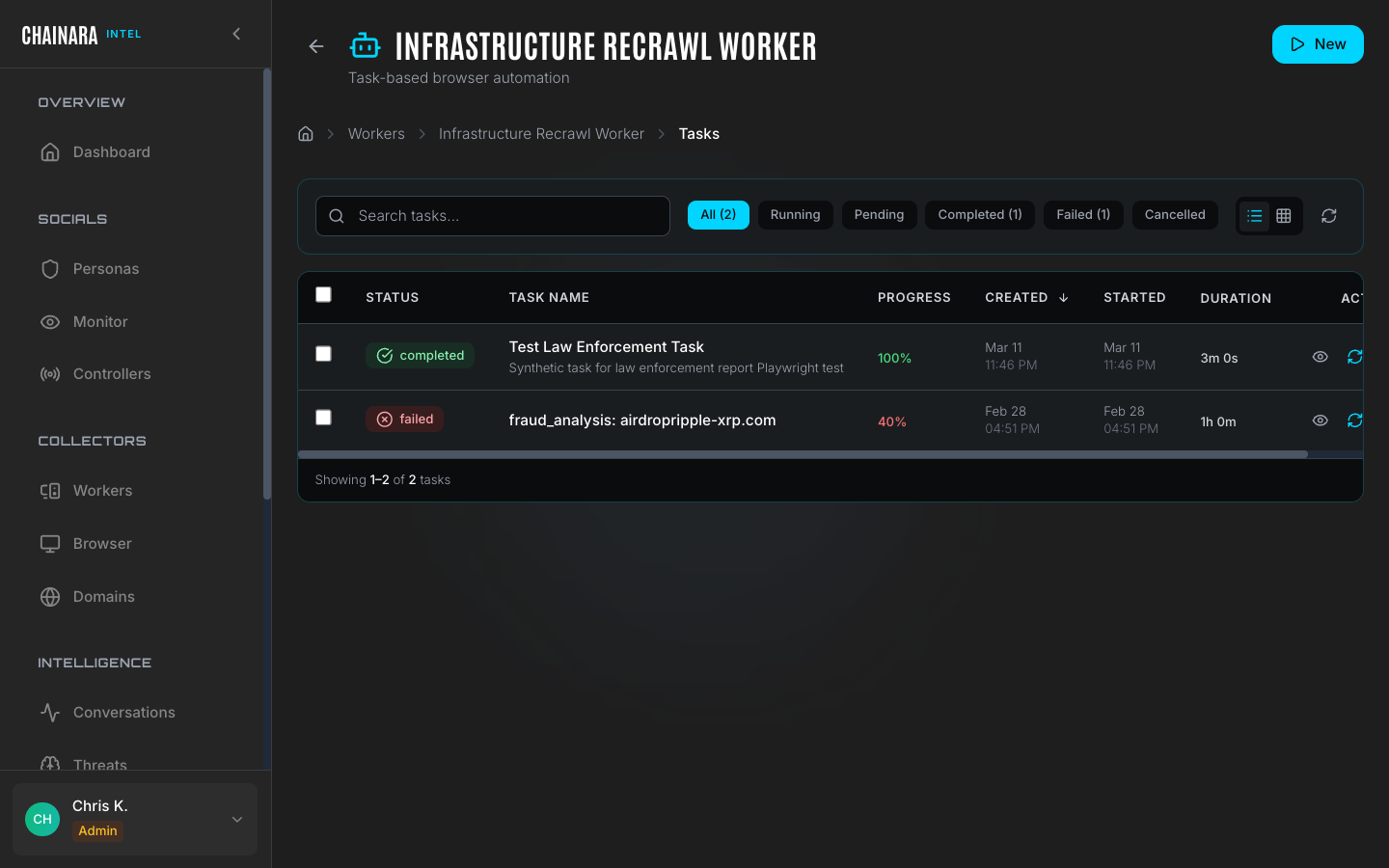
The task queue view shows all pending, running, and recently completed tasks for a worker, along with any errors. Click a worker to open its detail panel.
Task states
Tasks move through the following lifecycle:
| State | Description |
|---|---|
| Queued | The task is waiting to be picked up by the worker |
| Running | The worker is actively investigating the URL right now |
| Completed | Investigation finished; a report has been generated and stored |
| Error | Investigation failed: the site was offline, returned an error, blocked the worker with a CAPTCHA, or timed out |
Tasks in the Error state are not automatically retried. You can manually re-queue a failed task from the detail view, or use the Browser Viewer to manually complete the investigation.
Task timeouts
| Worker type | Default timeout |
|---|---|
ai_agent | 5 minutes per task |
browser_automation | 10 minutes per task |
darkweb_hunter_agent | 30 minutes per task (Tor routing adds latency) |
Tasks that exceed their timeout move to Error state with a timeout reason. If you are consistently seeing timeout errors on a specific site, the site may be slow to load or is actively stalling automated browsers. Use the Browser Viewer in Control Mode to investigate manually.
Deleting a worker
Deleting a worker while tasks are running will cancel all Queued tasks immediately. Running tasks complete their current operation before stopping: they are not killed mid-investigation. Reports generated by tasks that completed before deletion are preserved in Reports. If you want to stop a specific running investigation immediately, cancel the task from the detail view before deleting the worker.
The Forensic Investigator worker
The Forensic Investigator is the primary intelligence-generating worker. When assigned a URL it:
- Launches a headless browser session and navigates to the target URL
- Takes screenshots at each navigation step for evidence
- Follows redirects and logs the full redirect chain
- Identifies the scam type (investment fraud, phishing, fake exchange, airdrop scam, etc.)
- Extracts all IOCs present on the site: wallet addresses, forms, embedded URLs, and loaded scripts
- Assigns a risk score (0–100) and confidence level
- Generates a structured Intelligence Report containing all findings
Results feed directly into the Reports page and the Artifacts database.
Setting the global collector
The global collector is the default worker that receives all newly discovered malicious URLs when no persona-specific collector is configured. Set it in Settings → Integrations → Global Collector for Malicious URLs.
When a persona receives a suspicious URL in a scammer conversation, that URL is immediately submitted to the global collector worker for forensic analysis: no manual action is required.
Monitor the error rate on your primary forensic worker regularly. A high error rate often means targeted phishing sites have deployed CAPTCHA protection specifically to block automated scanning. When you see a cluster of errors, open the Browser Viewer and switch to Control Mode to manually solve the CAPTCHA and let the investigation complete. Once you solve it once, the worker can often continue automatically.