Monitor
The Monitor page provides real-time visibility into all active persona conversations across social platforms. Use it to watch live interactions as they unfold, spot high-value IOC extractions, and intervene manually when needed.
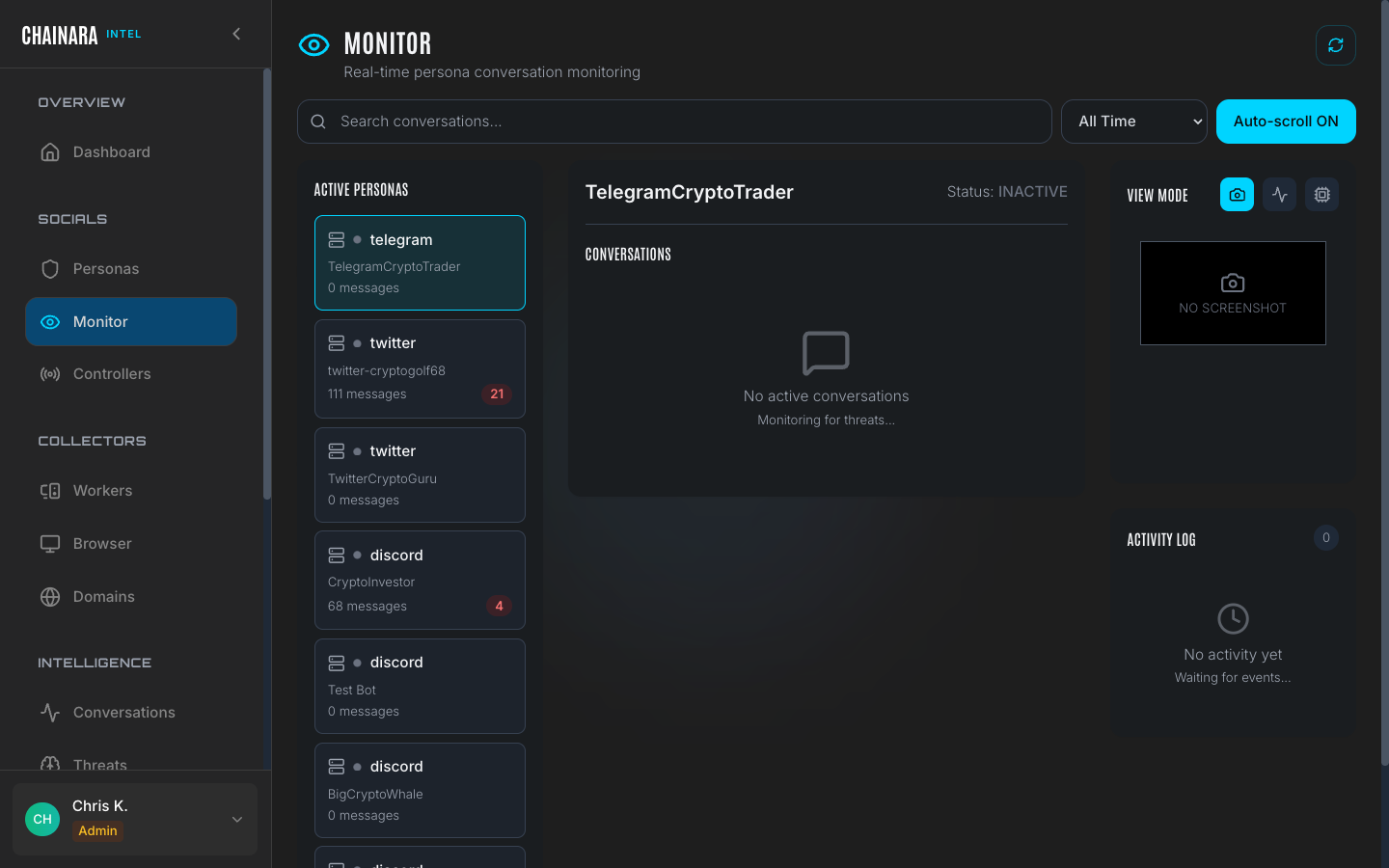
Conversation list
The monitor shows a live table of all conversations being tracked by deployed personas:
| Column | Description |
|---|---|
| Persona | Which persona agent is in this conversation |
| Target | The scammer's username or handle on the platform |
| Platform | Discord, Twitter/X, or Telegram |
| Messages | Total message count in the conversation so far |
| Threats | Number of IOCs extracted (wallets, URLs, domains) |
| Status | Current conversation state (see status types below) |
| Last activity | Time elapsed since the most recent message |
Conversation status types
| Status | Meaning |
|---|---|
| Active | The conversation is ongoing: the scammer is engaging and the persona is responding |
| Disengaged | The scammer stopped responding; the session is still open but dormant (e.g. classified as off_topic_spam) |
| Completed | The conversation has concluded and all threats have been extracted and archived |
| Flagged | Contains high-severity threats requiring manual analyst review |
Sessions move through these states automatically. A conversation that goes quiet for a configurable period transitions from Active to Disengaged. You can also manually change the status of any session using the action controls.
Real-time updates
The monitor auto-refreshes to show:
- New messages as they arrive from scammers and the persona's LLM responses
- New threats extracted from conversation content as IOC parsing runs
- Status transitions: for example, a previously Disengaged scammer re-engaging and moving back to Active
- New conversations started by scammers who initiate contact with a deployed persona
The refresh interval is automatic. You do not need to reload the page to see updates.
If the monitor appears stale or stops updating, check the System Health panel in Settings to confirm the API server and worker queue are healthy.
Actions
From the monitor you can take immediate action on any conversation:
| Action | Effect |
|---|---|
| Click conversation | Opens the full session detail in Conversations |
| Pause | Temporarily stops the persona from sending new replies in that conversation: the scammer's messages are still received and logged |
| End | Closes the conversation manually and archives it as Completed |
| Flag | Marks the conversation as Flagged and elevates it for priority analyst review |
Flagging a conversation is useful when you spot a session with unusually high IOC density or a scammer who is revealing infrastructure details: it ensures the session gets reviewed thoroughly before it is archived.
Prioritizing your attention
Use the Threats column to prioritize which conversations to watch closely. Sessions with multiple extracted IOCs indicate a scammer actively sharing wallet addresses, URLs, or invite links. These are your highest-value conversations.
Sort by Last Activity descending to see which conversations are currently hot. A high message count with a recent timestamp indicates active engagement.