Dark Web Hunter
The platform supports dark web intelligence in two ways:
- Any worker (ai_agent, browser_automation) can investigate a specific
.onionURL you already know: the task engine routes.onionaddresses through Tor automatically. Submit a dark web URL to the Forensic Investigator the same way you would a clearnet URL. - Dark Web Hunter is a specialized worker type for when you don't have a specific URL: it searches across dark web markets, forums, and indexes to find unknown fraud infrastructure matching a query.
The Dark Web Hunter routes investigations through Tor to search and scrape dark web sources for crypto fraud infrastructure. It operates as a separate microservice and is dispatched from the Workers page like any other worker.
How it works
Dark Web Hunter sends search queries across up to 9 dark web search engines simultaneously, scrapes result pages through Tor, and uses an LLM to extract structured threat indicators from the content. Everything runs over Tor: both .onion addresses and clearnet URLs: so the platform's IP is never exposed to scam infrastructure.
Creating a Dark Web Hunter worker
Navigate to Workers and click Create AI Worker.
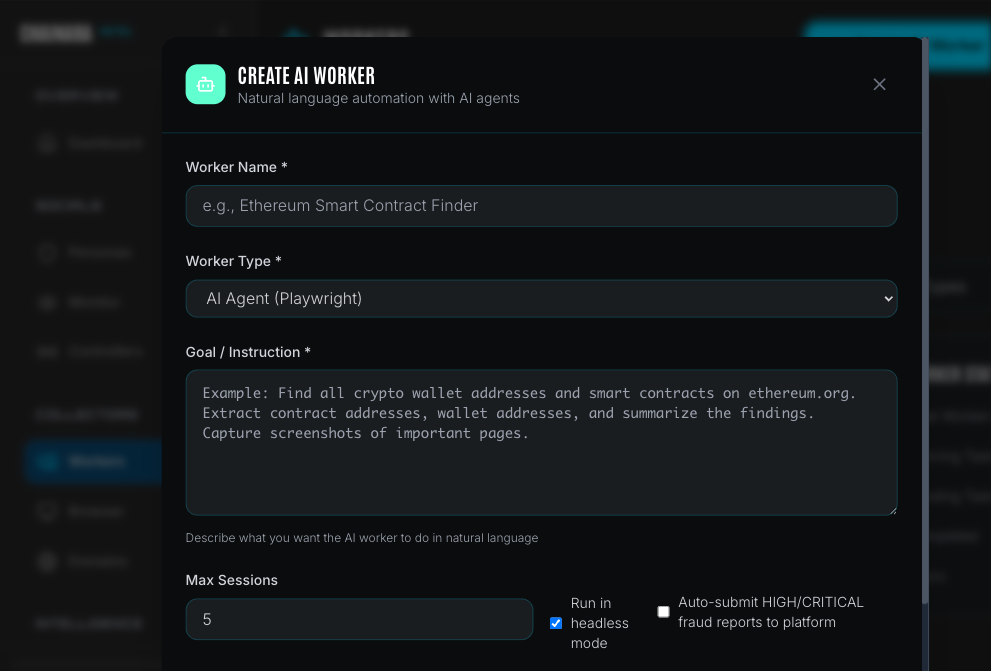
Set Worker Type to Dark Web Hunter.
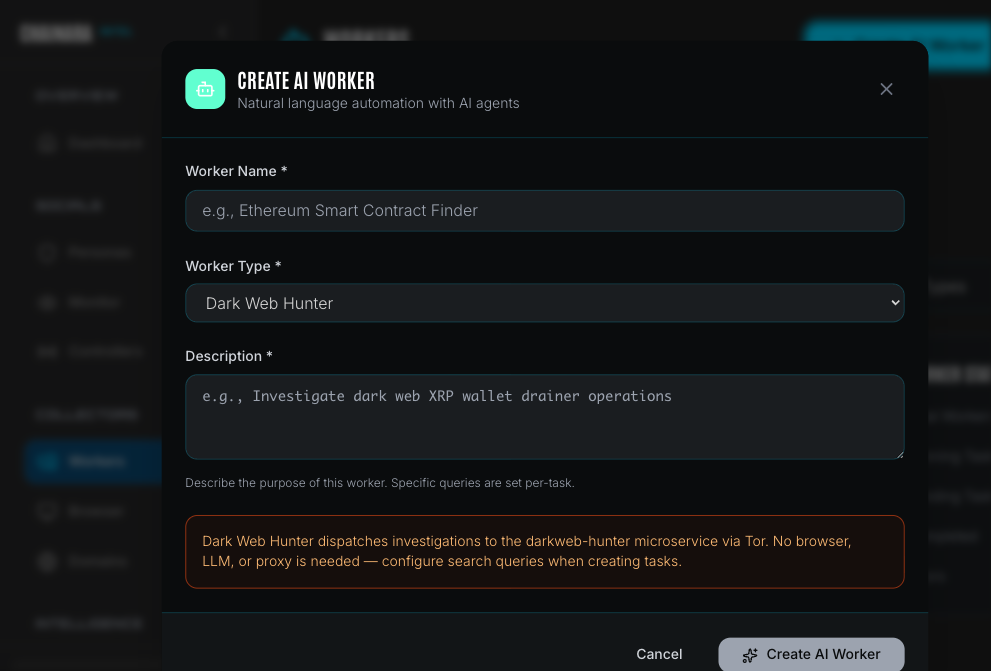
| Field | Description |
|---|---|
| Worker Name | A label for this worker (e.g. "XRP Drainer Intel", "Dark Web Domains") |
| Worker Type | Select Dark Web Hunter |
| Description | Describe the worker's focus area: specific queries are set per-task, not here |
Dark Web Hunter workers do not require a browser, LLM configuration, or proxy setup in the worker itself. All routing is handled by the darkweb-hunter microservice. Ensure that service is running before submitting tasks.
Once created, the worker appears in the Workers list with type darkweb_hunter_agent.
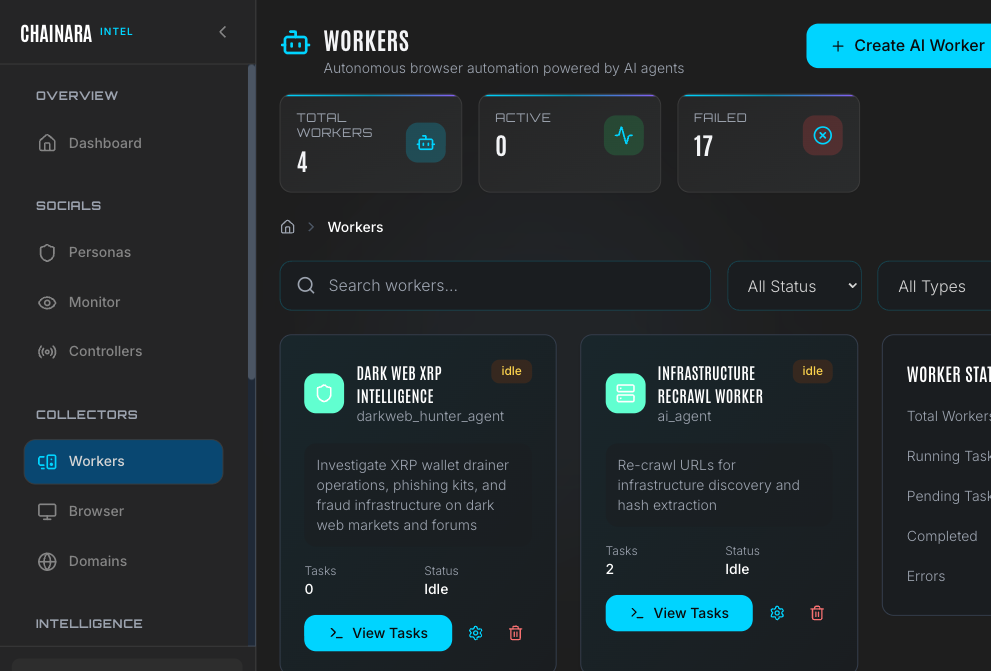
Creating a task
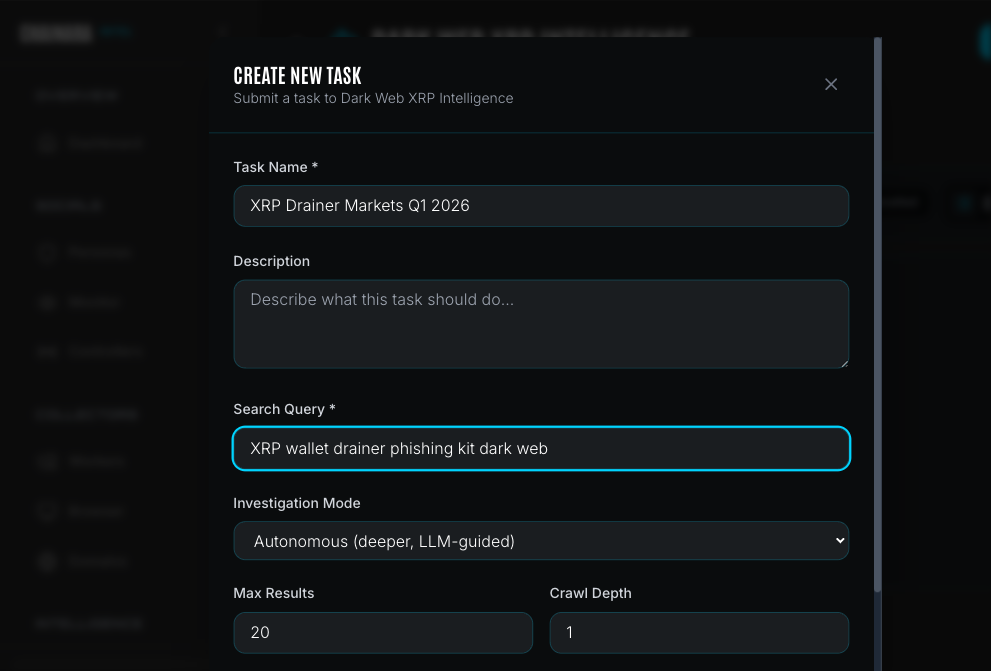
Click View Tasks on your Dark Web Hunter worker, then click Create Task.
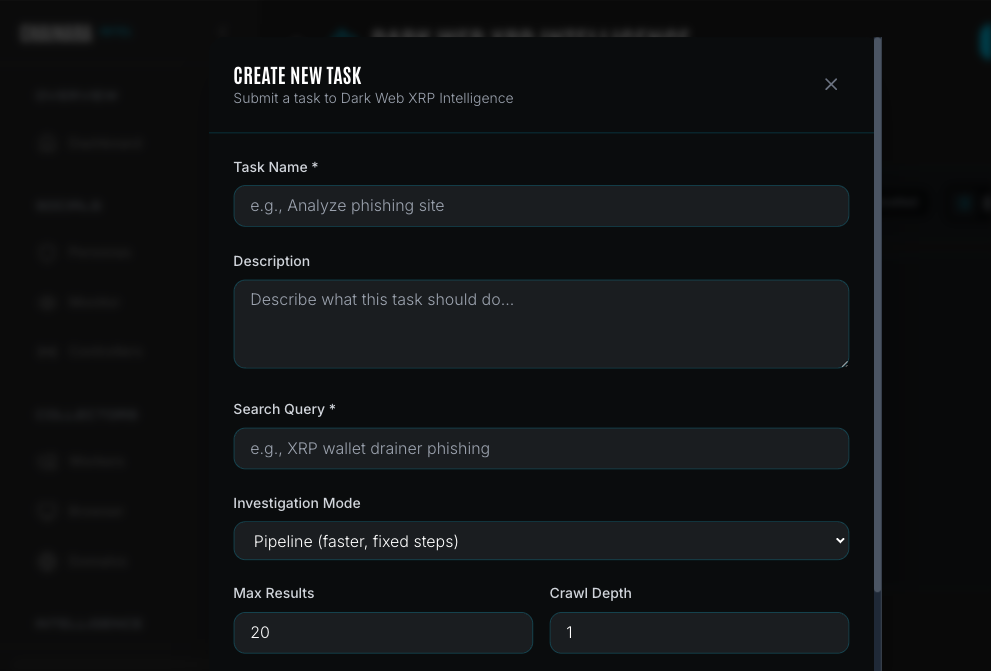
| Field | Description |
|---|---|
| Task Name | A descriptive label for this investigation |
| Description | Optional notes about the investigation scope |
| Search Query | The natural language query sent to dark web search engines (e.g. XRP wallet drainer phishing kit) |
| Investigation Mode | Pipeline (faster, fixed steps) or Autonomous (deeper, LLM-guided) |
| Max Results | Maximum number of search results to process (default: 20) |
| Crawl Depth | How many link hops to follow from each result page (0–3) |
Investigation modes
| Mode | How it works | Best for |
|---|---|---|
| Pipeline | Fixed sequential steps: refine query → search → filter → scrape → analyze → report | Fast sweeps, routine monitoring |
| Autonomous | LLM decides each next step from a toolset (search, scrape, pivot, correlate): up to 20 steps | Deep investigations, novel threats |
Crawl depth
| Depth | Behavior | Requests | Estimated task time |
|---|---|---|---|
| 0 | Analyze search results only: no link following | Minimal | 2–5 minutes |
| 1 | Follow top 3 relevant links from each result | ~10–20 | 5–15 minutes |
| 2 | Two levels of crawling | ~20–50 | 15–45 minutes |
| 3 | Deep infrastructure mapping | 40+: use sparingly | 45–90 minutes |
Autonomous mode adds additional time at each depth level because the LLM evaluates and selects next steps rather than following a fixed sequence.
Start at depth 1 for most investigations. Use depth 3 only when you need to map a complete scam infrastructure cluster (e.g. tracking all domains operated by a single threat actor).
Dark web search engines
Tasks query up to 9 purpose-built dark web search engines simultaneously:
| Engine | Speciality |
|---|---|
| Kilos | Cybercrime marketplace index: drainer vendors, kit sellers |
| Recon | Cross-references 40+ markets and 21,000+ vendor identities |
| Dread | Central dark web forum: vendor reviews, announcements |
| Torch | Largest unfiltered index (1.5B+ pages) |
| Haystak | Historical access: tracks post-takedown infrastructure |
| FreshOnions | Newly appearing .onion services, BTC address detection |
| DarkFail | PGP-verified market directory |
| TorDex | Uncensored, low overlap with Torch |
| NotEvil | 32M+ links, forum and marketplace focus |
What gets extracted
The LLM extracts structured indicators from every page it scrapes:
Cryptocurrency wallets: 33 chains including BTC, ETH, XRP, SOL, TRON, BNB, LTC, and more
Infrastructure
.onionURLs- Clearnet domains
- IP addresses
- Phishing kit identifiers
- Drainer service names
Communications: Telegram handles, Discord tags, Session IDs, Wickr, and 30+ other platforms
Threat intelligence
- Threat actor names and aliases
- Malware and tool names
- Marketplace and forum names
- Crypto mixer service identifiers
Each extracted indicator includes a confidence score (0–100%) and threat severity (Critical / High / Medium / Low).
Investigation results
Completed tasks produce:
- Intelligence report: AI-generated summary of findings: scam type, risk classification, extracted IOCs, and recommended actions. Viewable in Reports.
- Artifacts: Every extracted indicator stored in the Artifacts database with source context
- Platform sync: Discovered wallet addresses and domains automatically submitted to the Platform threat database for risk scoring
The Dark Web Hunter microservice must be running and reachable for tasks to execute. If you see "Dark Web Hunter service is unreachable" in the task creation form, the service is offline. Check the system health status in Settings → System Health.
Troubleshooting
| Symptom | Likely cause | Resolution |
|---|---|---|
| Task stuck in Running for over 30 minutes | Tor circuit failure or search engine timeout | Cancel the task and resubmit. Tor circuit is automatically rotated on retry. |
| Task errors with "Tor SOCKS5 proxy unreachable" | Tor daemon not running | Check the Dark Web Hunter service logs and restart the service. |
| No results returned despite broad query | Search engines throttling requests | Reduce Max Results, wait 10 minutes, then retry. Avoid running multiple Dark Web Hunter tasks in parallel. |
| Task completes but few IOCs extracted | Query too broad or results unrelated to crypto fraud | Refine the search query to be more specific (e.g. add "XRP" or "XRPL" to the query). |