Conversations
The Conversations page archives all completed and active persona sessions, providing a full record of every interaction between a persona and a scammer. Use it to review transcripts, verify extracted IOCs, and understand how scam operations communicate with targets.
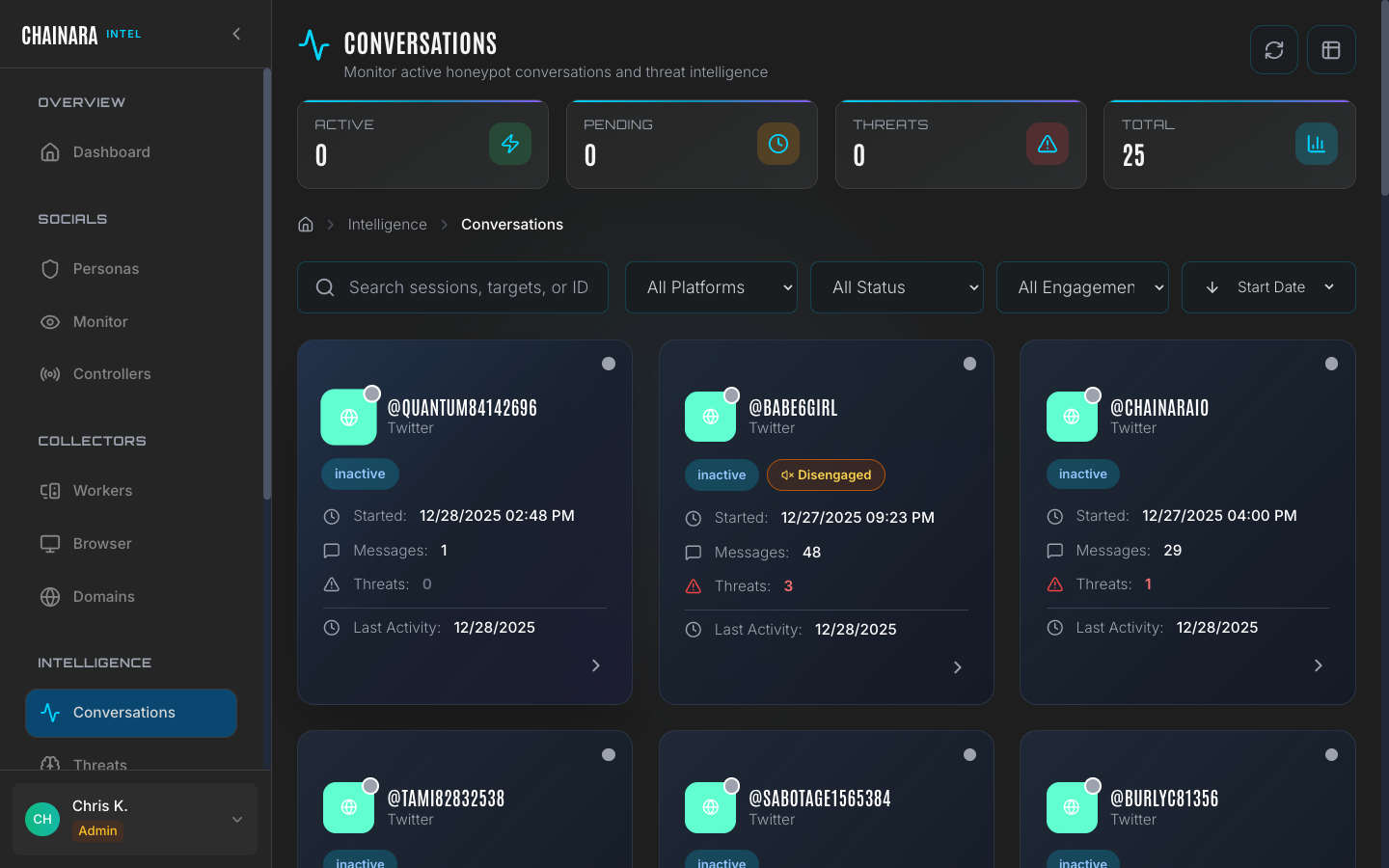
Conversation list
The conversations table shows all sessions across all personas and platforms:
| Column | Description |
|---|---|
| Target | The scammer's username or handle |
| Platform | Discord, Twitter/X, or Telegram |
| Persona | Which persona agent was involved |
| Messages | Total message count for the session |
| Threats | Number of IOCs extracted from the conversation |
| Status | Active / Disengaged / Completed / Flagged |
| Started | When the conversation began |
| Last activity | Most recent message timestamp |
Filtering conversations
Use the filter controls at the top of the page to narrow the list to the sessions most relevant to your investigation.
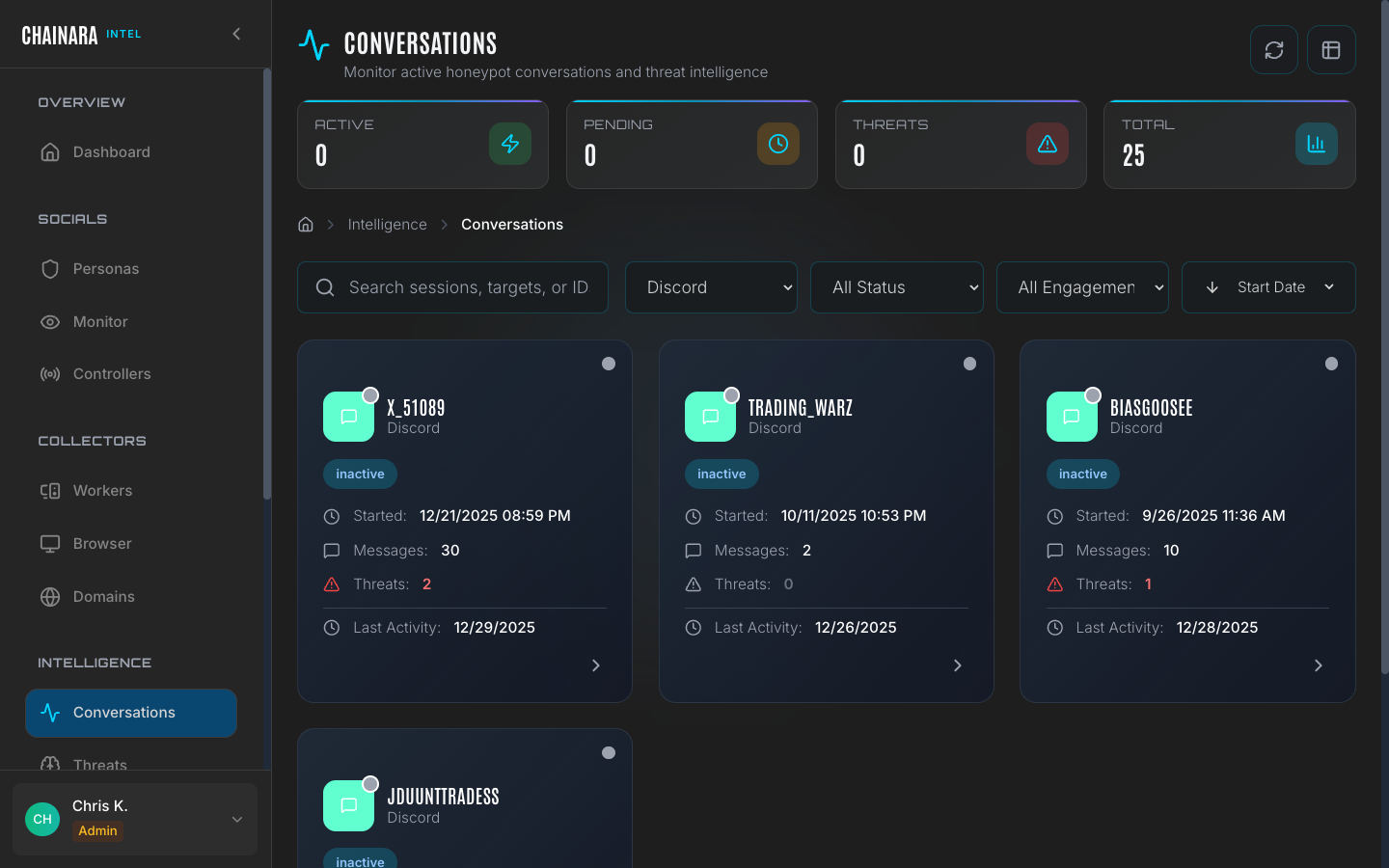
| Filter | Options |
|---|---|
| Platform | Discord / Twitter/X / Telegram |
| Status | Active / Disengaged / Completed / Flagged |
| Threat count | Show only sessions with at least N extracted threats |
| Date range | Restrict to a specific time window |
| Persona | Filter by which persona was in the conversation |
You can combine multiple filters. For example, filtering by Status = Completed and Threat count ≥ 1 quickly surfaces all finished sessions that yielded actionable intelligence.
Session detail
Click any row in the conversation list to open the full session detail view.
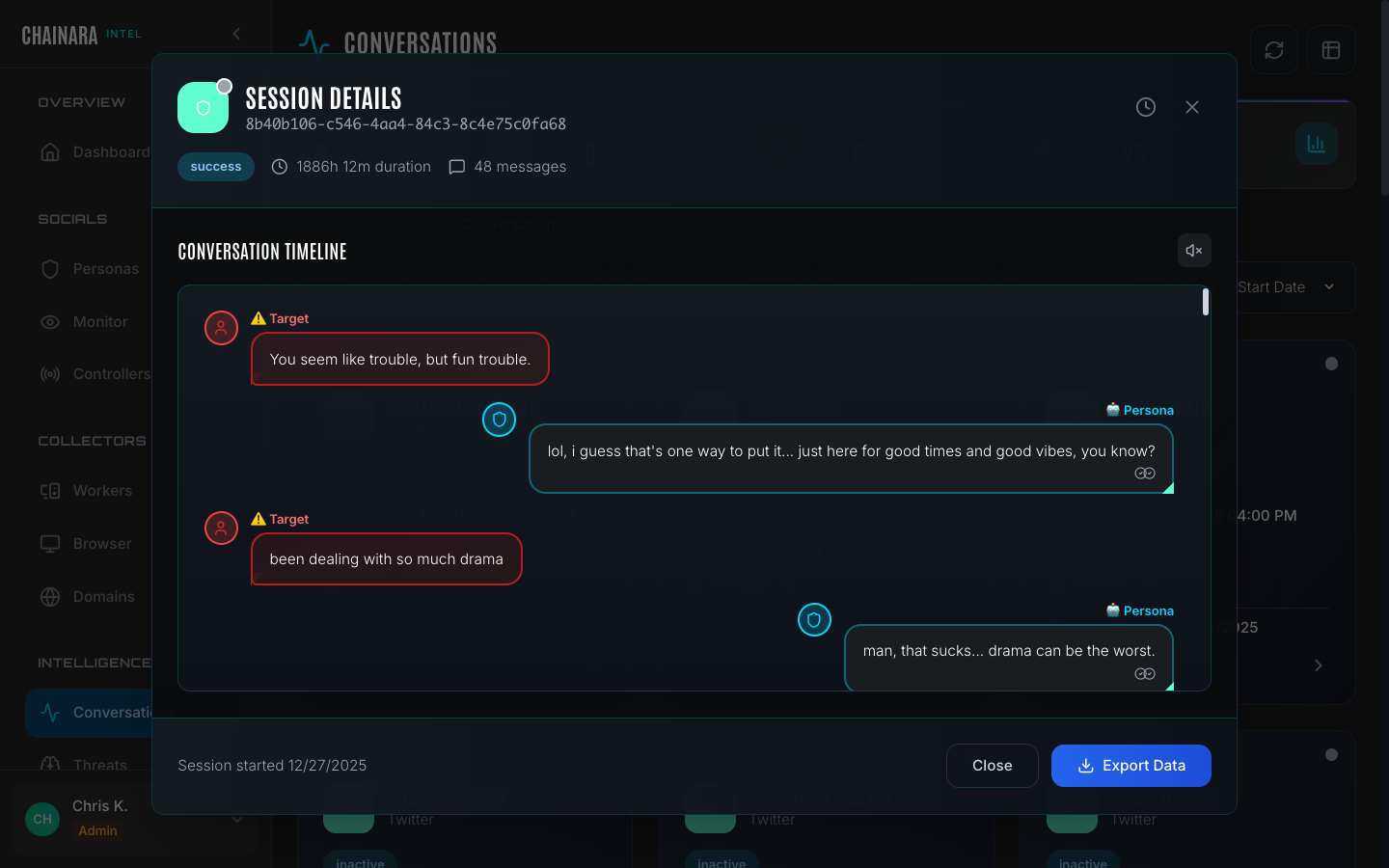
Session header
The header panel shows top-level metadata for the entire session:
| Field | Description |
|---|---|
| Session ID | Unique identifier for this conversation (e.g. 8b40b106-...) |
| Duration | Total elapsed time the conversation ran |
| Message count | Total messages exchanged between persona and scammer |
| Threats found | Number of IOCs extracted during this session |
| Platform | The social platform where the conversation took place |
| Persona | The persona that engaged this scammer |
Conversation timeline
The main body of the session detail is a chronological, message-by-message transcript:
- Target messages (scammer): shown with the scammer's handle and platform avatar
- Persona messages (persona): shown with the persona's name and LLM-generated content
- Timestamps: each message shows the exact time it was sent
- Inline IOC highlights: wallet addresses, URLs, and domains mentioned by the scammer are highlighted directly in the message text for immediate visibility
The timeline gives you the full context of how the scam was pitched, how the persona responded, and exactly where in the conversation each piece of intelligence was revealed.
IOC extraction
The system automatically parses every scammer message for:
| IOC type | Examples |
|---|---|
| Crypto wallet addresses | XRP, BTC, ETH, and other chain addresses mentioned in messages |
| Phishing URLs | Links shared by the scammer directing to their fraud site |
| Domain names | Bare domain references or branded platform names |
| Referral codes | Invite codes, affiliate links, or referral parameters |
| Invite links | Discord and Telegram invite URLs |
All extracted IOCs flow automatically into the Threats database and are also submitted to the Platform for risk scoring. No manual copy-paste is required.
Conversation evidence
The session detail is itself an evidence record. It shows:
- The scammer's exact words promoting the fraud
- The persona's extraction technique (how questions were asked to draw out wallet addresses and URLs)
- A timestamped, immutable record of the interaction
This record can be referenced directly in Reports and Artifacts, and can be exported for inclusion in law enforcement submissions.