Artifacts
The Artifact Administration page is the master database of all IOCs (Indicators of Compromise) collected across all Intel collection activities. Every wallet address, URL, script, domain, and IP address encountered by workers, conversations, and domain scans is stored here for review and triage.
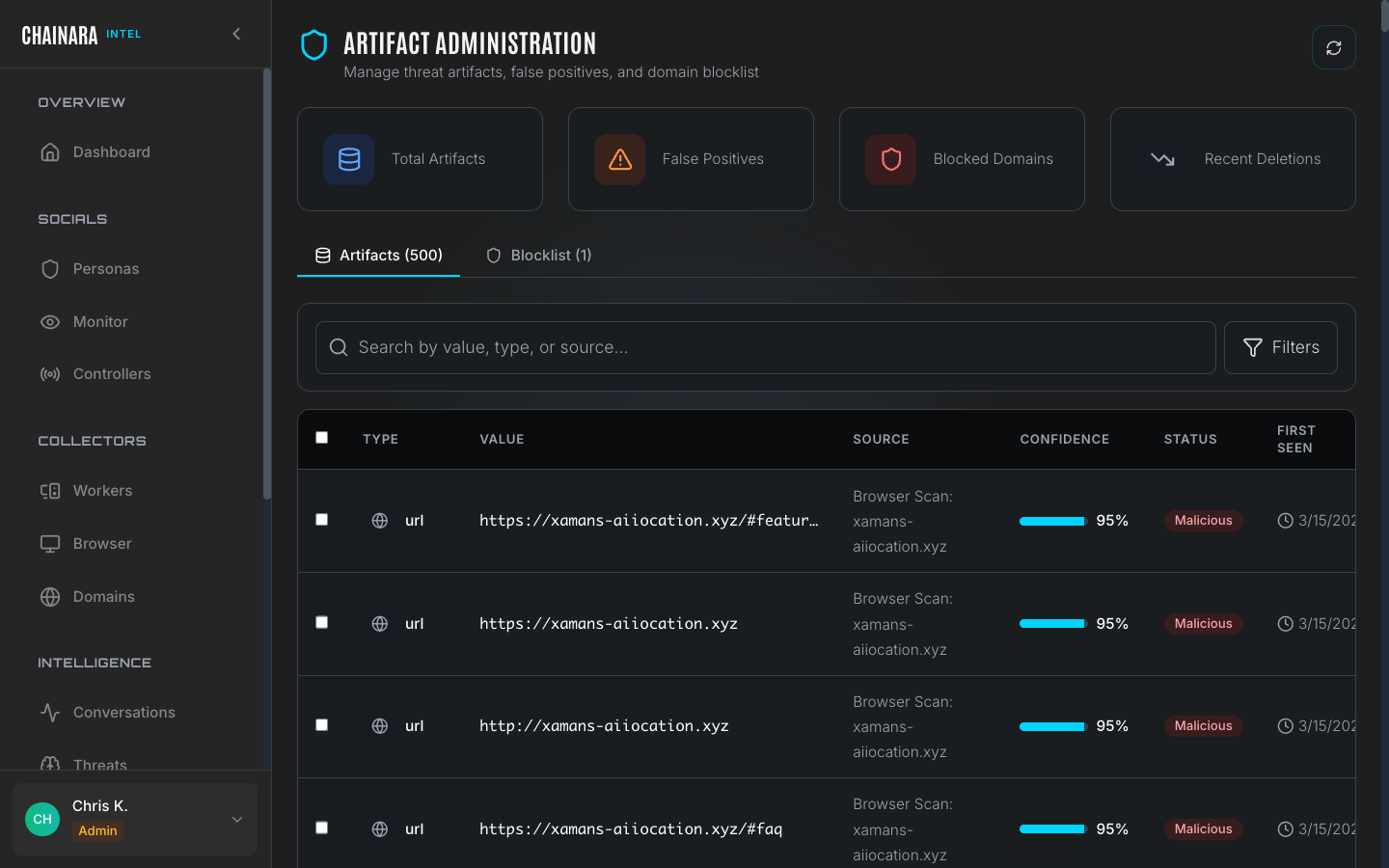
Overview stats
| Metric | Description |
|---|---|
| Total artifacts | All IOCs in the system |
| False positives | Items that have been reviewed and marked as benign after initially flagging |
| Blocked domains | Domains currently on the active blocklist |
| Recent deletions | Items removed in the last reporting period |
Artifacts tab
The main artifacts table shows every collected IOC across all collection sources:
| Column | Description |
|---|---|
| Type | The IOC category: url, script, domain, wallet, ip, qr_code |
| Value | The actual IOC: the full URL, wallet address, domain name, or IP address |
| Source | Where it was collected: Browser Scan: domain, Browser Worker Scan, Conversation, Domain Monitor |
| Confidence | 0–100% confidence score that this IOC is malicious, assigned by the threat assessment LLM |
| Status | Current triage state: Pending / Malicious / Benign / False Positive |
| First seen | The date this IOC was first recorded in the system |
| Last seen | Most recent time this IOC was observed in use |
Artifact types
| Type | What it represents | Why it matters |
|---|---|---|
url | Full URLs encountered during scans, including redirect chains and embedded links | The atomic unit of investigation; every report links back to one or more URLs |
domain | Hostnames extracted from URLs and on-page references | Used for takedown submissions, blocklists, and infrastructure mapping |
wallet | Crypto addresses found on pages, in scripts, and in form destinations | Pushed to Platform for risk scoring and webhook delivery |
ip | IP addresses resolved during scans | Used by Maps to find co-hosted domains |
script | External and inline JavaScript fingerprints. External scripts are tracked by URL + SHA-256; inline scripts by content hash + a short preview | Lets you link sister scam sites that share a phishing kit even when domains rotate. Two domains running the same drainer JS will share script artifacts. |
qr_code | Decoded QR codes detected in page images during scans (actual page assets, not screenshots) | Often hide the real malicious URL or the drainer wallet behind a QR image to bypass URL filtering |
QR-code and script artifacts are particularly useful for campaign attribution. When a new domain shows up running the same JS hash as a known scam, the Maps and Threats views will surface that link automatically and it can be tagged to the responsible threat actor.
Understanding the status values
| Status | Meaning | Action taken |
|---|---|---|
| Pending | Newly collected and awaiting analyst review | No threat feed action yet |
| Malicious | Confirmed threat by analyst or high-confidence automated classification | Added to active threat feeds and blocklist |
| Benign | Legitimate service that appeared in a scan (e.g. a CDN or analytics service) | Excluded from threat feeds |
| False positive | Initially flagged but determined on review to not be a threat | Suppressed from future alerts |
Blocklist tab
The Blocklist contains domains and IPs that are actively excluded from all worker investigations.
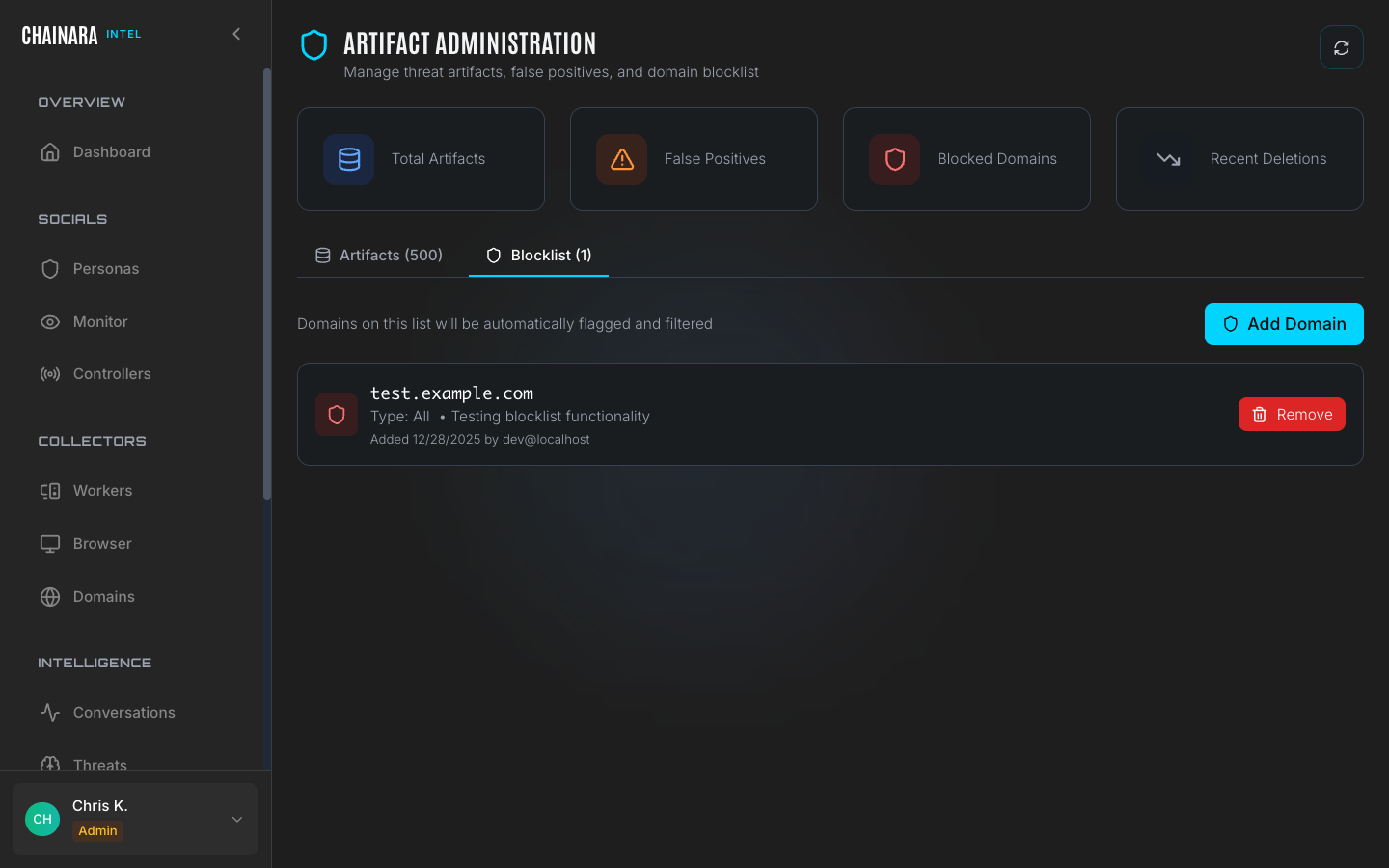
Adding a domain to the blocklist prevents workers from accidentally interacting with known benign infrastructure: for example, CDN providers, analytics platforms, or ad networks that appear on nearly every site and are not themselves threats.
Managing the blocklist
- Click the Blocklist tab
- Click Add to Blocklist
- Enter the domain or IP address to block
- Add a note explaining why this entry should be excluded from worker investigations
- Click Save
Workers will stop following links to blocklisted domains during future investigations. Existing artifacts from a blocklisted domain are not retroactively removed: you can mark them as Benign manually.
Reviewing artifacts
Regularly reviewing Pending artifacts keeps your threat feeds clean and accurate. The recommended workflow:
- In the search box, filter by
status:pendingto surface only unreviewed items - For each pending artifact, review:
- The Value: is this a known malicious indicator or a legitimate service?
- The Source: does it come from a conversation (high confidence) or a broad browser scan (lower confidence)?
- The Confidence score: use this as a guide, not a final verdict
- Mark the artifact with the appropriate status:
- Malicious: adds the IOC to active threat feeds and flags it for Platform sync
- False Positive: suppresses future alerts for this indicator
- Benign: records it as a known-good service; excludes from threat feeds
Prioritize reviewing artifacts with high confidence scores from Conversation sources first: these are the most actionable and highest-quality intelligence items.
Searching artifacts
The search box supports free-text search across all artifact fields. You can search by:
- Domain or URL substring
- Wallet address (partial or full)
- Source type
- Status filter keywords (e.g.
pending,malicious) - Date ranges
Export
Export the full artifact database for external analysis or ingestion into a SIEM:
- Click Export in the top right
- Choose CSV for spreadsheet-compatible output or JSON for structured data
- All fields including confidence scores, sources, and timestamps are included in the export