Getting Started
Welcome to Chainara Portal: your unified gateway to all Chainara applications. This guide will walk you through everything you need to get up and running.
What is Chainara Portal?
Chainara Portal is a centralized application hub that lets your team:
- Access all Chainara applications from a single dashboard
- Manage user accounts and permissions
- Launch and switch between tools seamlessly
Prerequisites
Before you begin, make sure you have:
- A Chainara account (contact your admin if you don't have one)
- A Google Workspace account or Okta SSO credentials (depending on your organization's setup)
- A supported web browser (Chrome, Firefox, Edge, or Safari: latest versions recommended)
Accessing the Portal
The Chainara Portal is available at your organization's portal URL (e.g. https://ripple-portal.chainara.io).
Sign-In Methods
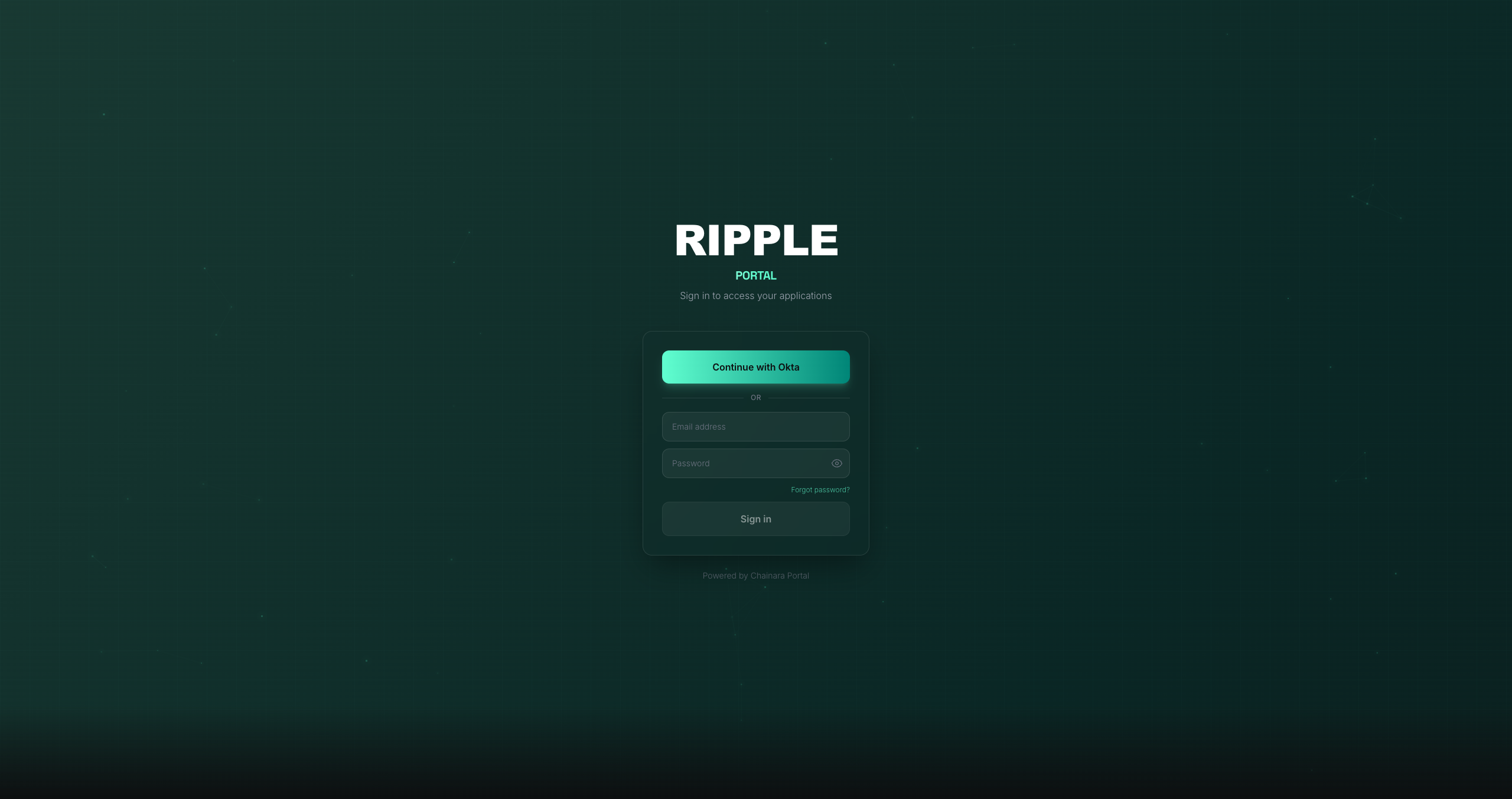
The portal is white-labeled: the login screen title and available sign-in options are configured per organization. You may see:
- Continue with Okta: for organizations using Okta SSO
- Continue with Google: for organizations using Google Workspace SSO
- Email / Password: always available as a fallback
Contact your administrator if you're unsure which method to use.
First Time Setup
- Navigate to the portal URL above
- Sign in using the method your organization has configured
- You'll be redirected to the Apps dashboard
New to the team?
If you're joining for the first time, your admin needs to send you an invitation. Check your email for an invite link from Chainara, or reach out to your team administrator.
Next Steps
- Follow the Quick Start guide to launch your first app in minutes
- Read the User Guide for a complete walkthrough of all features
- Check the FAQ if you run into any issues