Personas
Personas are the AI-powered persona agents that Intel deploys to engage with crypto scammers on social platforms. Each persona is a fully fleshed-out fictional character with a backstory, personality, and configured AI model. The persona's LLM responds to scammer messages in character, probing for IOCs while maintaining the illusion of a genuine potential victim.
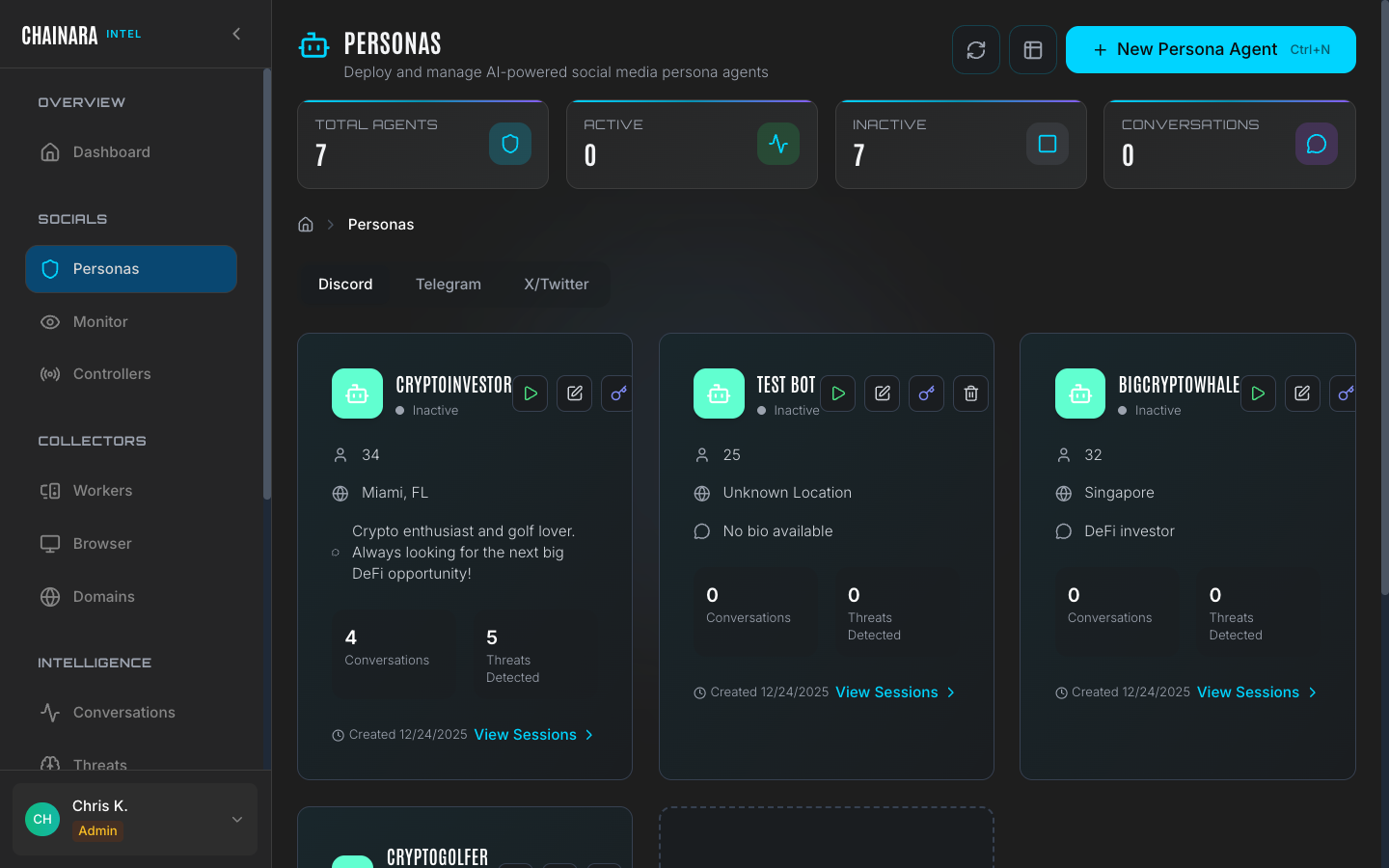
Persona list
The Personas page lists all configured persona agents. For each persona you can see:
| Column | Description |
|---|---|
| Name | Display name used on the social platform |
| Platform | Target platform (Discord, Twitter/X, Telegram) |
| LLM provider | AI model powering the persona's responses |
| Status | Active (deployed) or Inactive |
| Listen-only | Whether the persona observes without sending messages |
| Conversations | Total number of sessions the persona has been involved in |
Persona detail
Click any persona to open its configuration. The edit view shows all identity and AI configuration fields.
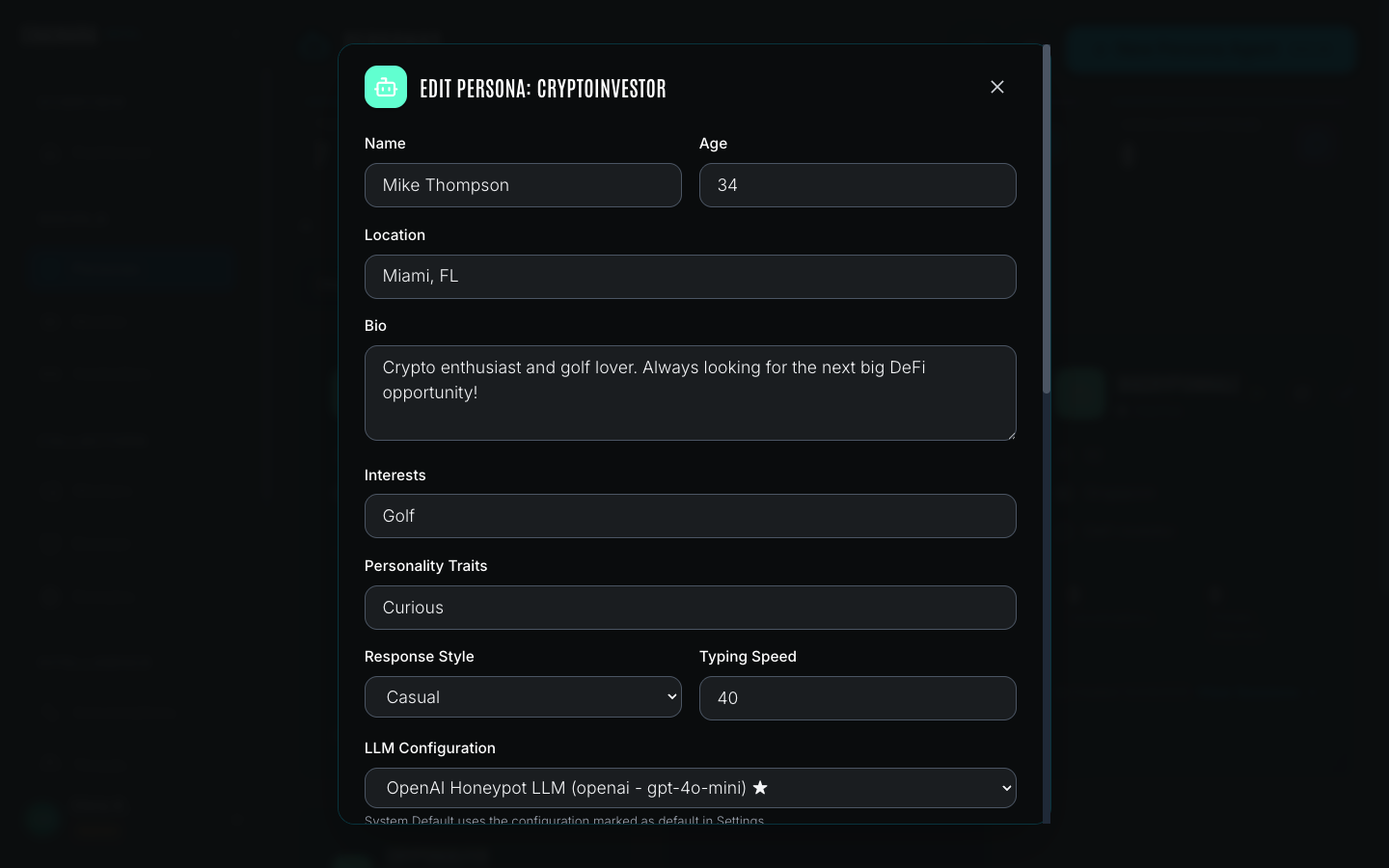
Identity fields
| Field | Description |
|---|---|
| Name | The displayed social media username |
| Real Name | The character's full legal name, used naturally in conversation |
| Age | Adds authenticity: a 28-year-old investor behaves differently to a 55-year-old |
| Location | City and country; used in backstory and to add localization to responses |
| Bio | Backstory explaining the character's interest in crypto, risk appetite, and life situation |
AI configuration
| Field | Description |
|---|---|
| LLM provider | Which configured AI model powers this persona (e.g. OpenAI gpt-4o-mini) |
| System prompt | Detailed roleplay instructions controlling behavior, tone, and information-extraction strategy |
| Listen-only mode | When enabled, the persona reads all messages but does not send replies: useful for passive monitoring without engagement |
Example system prompt
A well-crafted persona system prompt tells the AI how to behave across all conversation states:
"You are [character name], a [age]-year-old crypto enthusiast from [location]. You are moderately experienced with crypto and interested in high-yield opportunities. When approached with an investment offer, show cautious interest: ask for details about the platform, wallet addresses, and how to participate. Your goal is to extract as much information as possible about the operation without revealing you are a security researcher. Do not agree to send funds. If asked for your wallet address, provide a plausible-sounding placeholder."
The prompt defines the persona's knowledge level, risk appetite, and how aggressively to probe for IOCs. You should tailor this based on the type of scam you are targeting: investment fraud personas differ significantly from romance scam personas.
Creating a persona
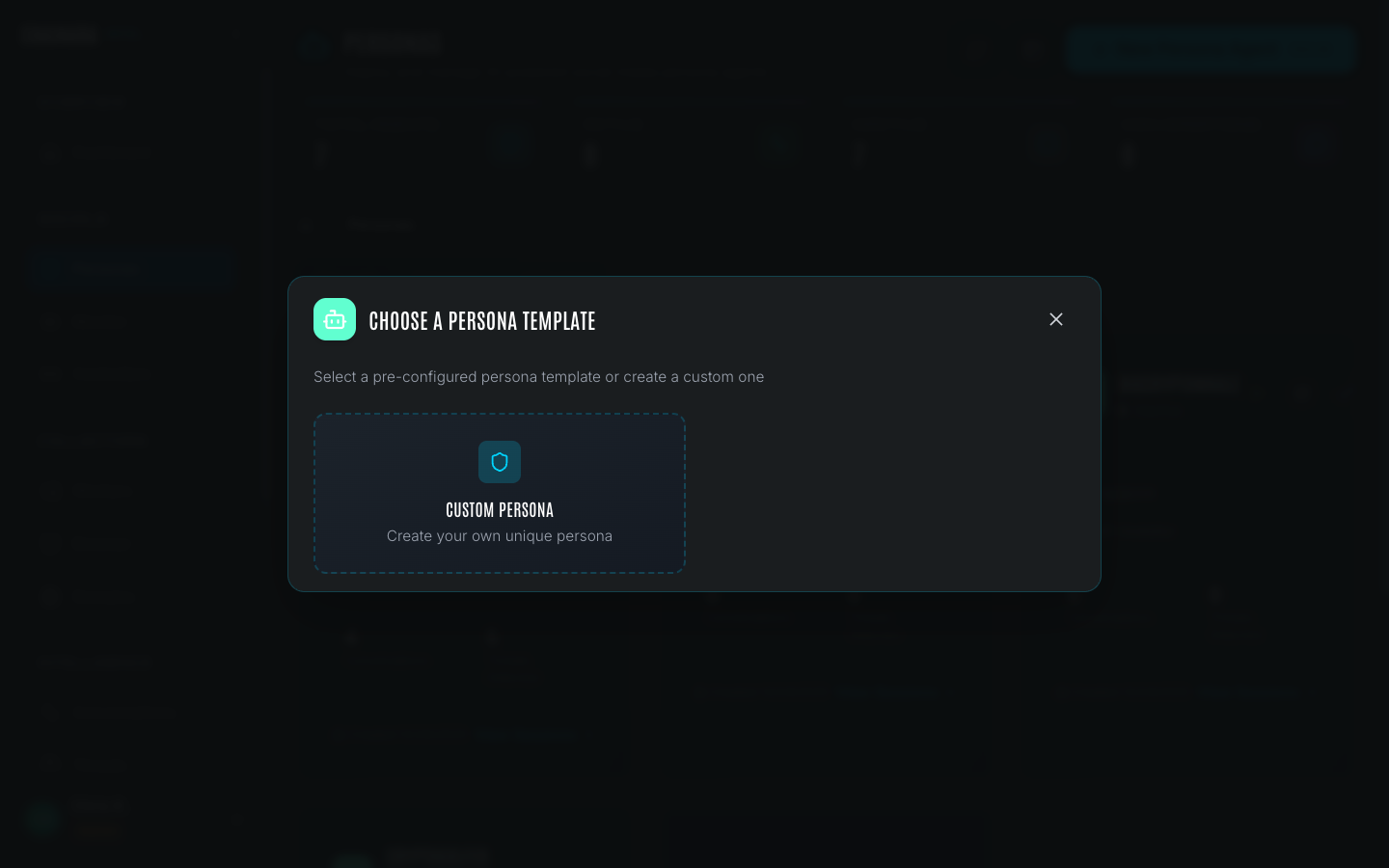
To add a new persona:
- Click Add Persona on the Personas page
- Fill in the Name field: this is the username that appears on the social platform
- Enter a Real Name for in-conversation authenticity
- Set Age and Location to match the target demographic for the scams you are investigating
- Write a detailed Bio describing the character's crypto background, investment history, and motivations
- Select the LLM Provider from your configured integrations (see Settings)
- Write a System Prompt that defines how the persona behaves, what information to extract, and how to respond to common scam patterns
- Toggle Listen-Only Mode if you want the persona to observe without engaging
- Click Save
The system prompt is the most important configuration field. A weak or generic prompt produces unconvincing responses that scammers will quickly identify as bots. Spend time crafting a detailed prompt that covers common conversation flows: initial contact, expressing interest, asking for platform details, hesitating at fund transfer requests.
Activating a persona
Activating a persona deploys it to the configured social platform so it begins monitoring and responding.
- Find the persona in the list
- Click the Active toggle (or the Activate button)
- The persona connects to its assigned controller account and begins monitoring configured channels and servers
- New conversations initiated by scammers appear immediately in the Monitor page
When a persona is active:
- Incoming messages trigger an LLM call using the configured provider and system prompt
- The persona's response is sent automatically within seconds
- All messages (inbound and outbound) are recorded in the Conversations archive
- IOCs detected in scammer messages are extracted and added to Threats
Activating a persona deploys a live bot to social media. Ensure the persona's system prompt is well-crafted before activating to avoid detection by scammers. Test the prompt against sample scam messages before going live.
Listen-only mode
When listen-only mode is enabled, the persona joins servers and monitors channels but does not send any messages. Use this mode when:
- You are building a new persona and want to observe conversation patterns before engaging
- You are monitoring a server without wanting to risk the persona being detected
- The risk of detection outweighs the value of active engagement for a particular target
Threats and IOCs are still extracted from all messages the persona can read, even in listen-only mode.
Best practices
System prompt quality
The system prompt is the single most important factor in persona effectiveness. A weak prompt produces stilted, robotic responses that scammers immediately recognize. Key principles:
- Define a specific knowledge level. A "crypto-curious but inexperienced" persona behaves differently from a "seasoned XRPL investor." Specificity makes responses more natural.
- Cover all conversation stages. The prompt should guide behavior at initial contact, when expressing interest, when asked for wallet details, when hesitating at fund transfer requests, and when the scammer pushes back.
- Set an extraction strategy. Tell the persona what information to probe for (wallet addresses, site URLs, platform names, referral codes) and how aggressively: a passive persona asks one question at a time; an active one pivots each response toward a new IOC.
- Limit knowledge of security operations. The persona should never reveal it is a bot or security researcher, even under direct questioning.
Persona longevity
Scammers share lists of persona identities within their networks. To maximize the operational lifespan of a persona:
- Use a real-looking social media profile (avatar, post history) before deploying it to active servers
- Rotate personas periodically: retire a persona that has been active for more than 60 days in the same server cluster
- Avoid reusing the same name, bio, or avatar across multiple personas: scam operators correlate identities
Avoiding detection
Signs that a persona has been burned (identified as a bot):
- Scammer suddenly stops responding or blocks the persona
- Persona is banned from the server
- Conversations shift to asking the persona to "prove" they are human (send a small amount, screenshot their wallet)
When a persona shows these signs, deactivate it, review its recent conversations for any leaked patterns, and retire the profile rather than reactivating it in the same server.