Flagged Wallets
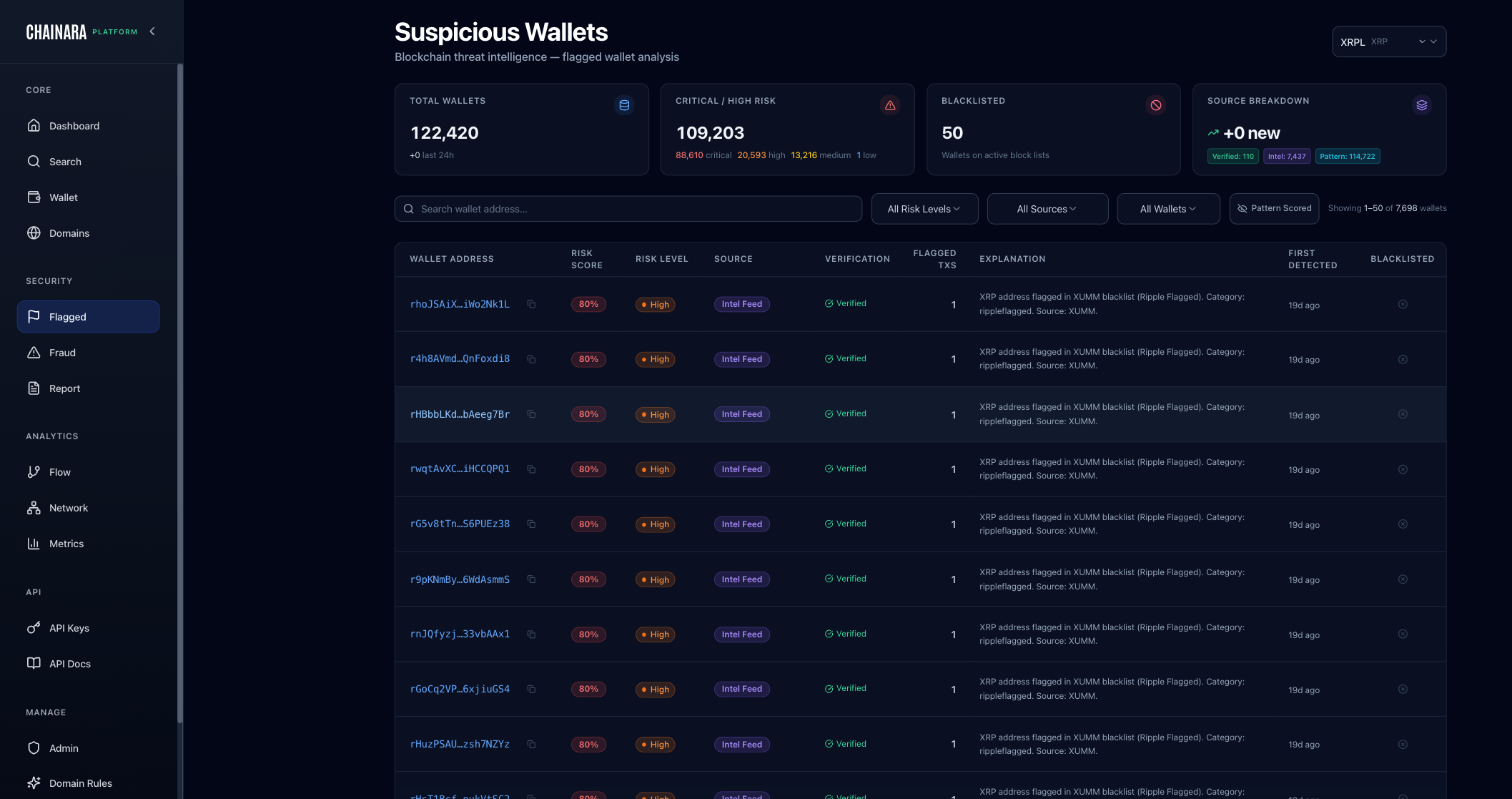
The Flagged Wallets page is a curated registry of XRP wallets that have been identified as high-risk or confirmed fraudulent.
What Gets Flagged
Wallets are added to the flagged list when:
- A fraud report is submitted and verified
- The wallet's risk score crosses a configured threshold
- An admin manually flags the wallet
- The wallet appears in external threat intelligence feeds
Flagged Wallet Data
Each entry in the list shows:
| Field | Description |
|---|---|
| Address | The XRP r-address |
| Risk Score | Current calculated risk score |
| Classification | Fraud category (scam, phishing, money laundering, etc.) |
| Date Flagged | When it was added to the list |
| Reports | Number of fraud reports linking to this wallet |
| Status | Active / Resolved / Under Review |
Actions
From the flagged wallet list you can:
- Click any wallet to open its full Wallet Analysis
- Export the full list as CSV for SIEM ingestion or compliance reporting
- Search and filter by risk level, date range, or classification
- Admins can remove wallets from the list if they are cleared
Removing a wallet
When an admin removes a wallet from the flagged list:
- The wallet's status changes to Resolved in the database
- The API risk-score endpoint continues to return the wallet's historical data for 7 days after removal (to allow downstream systems time to sync), after which the wallet is treated as unverified
- Webhook subscribers receive an
indicator_removedevent immediately on removal - The wallet's fraud reports and transaction history are preserved: removal means the wallet is no longer actively flagged, not that the historical evidence is deleted
If you need to re-flag a wallet after removal, submit a new fraud report or manually flag it from the Admin panel.
Integration with Threat Feed
The flagged wallet list is available via the API threat feed endpoint:
GET /api/v2/threat-feed/wallets
This allows SIEM tools, exchanges, and compliance systems to pull the current list of known-bad XRP wallets for real-time screening.